Made It
Did I lock the door? Your widget knows.
Check off what you do every day with one tap and stop second-guessing: a big YES or NO, with the time, right on your Home Screen.
Download on theApp Store3 tasks free · unlimited for a single payment · iPhone
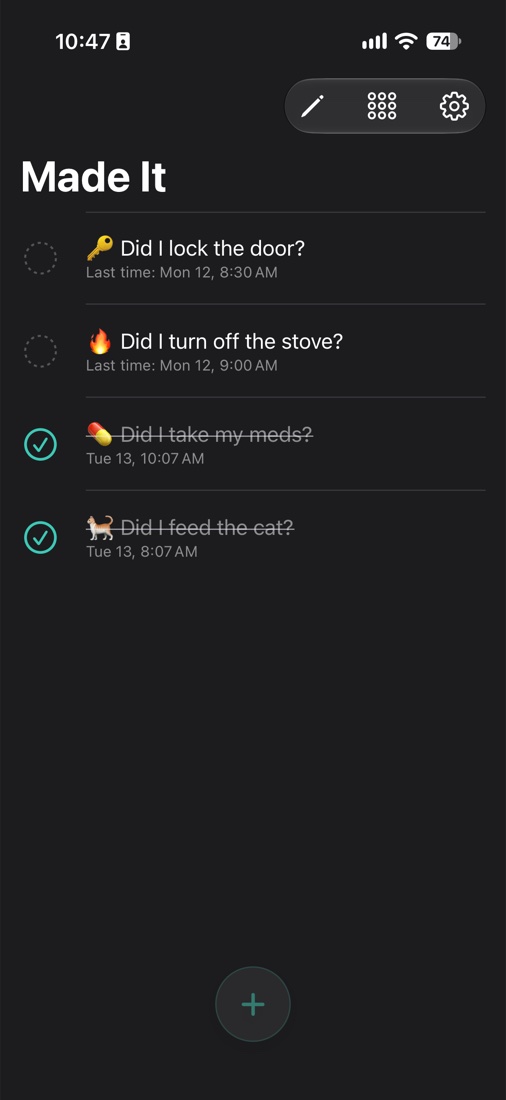
Did I take my meds? Did I turn off the stove? Made It takes that doubt off your mind. Each task becomes a widget that says YES or NO and when you did it. It resets on its own the next day, ready for next time.
- Widgets that answerTap the widget to mark it. YES shows up right away, with the time, without opening the app.
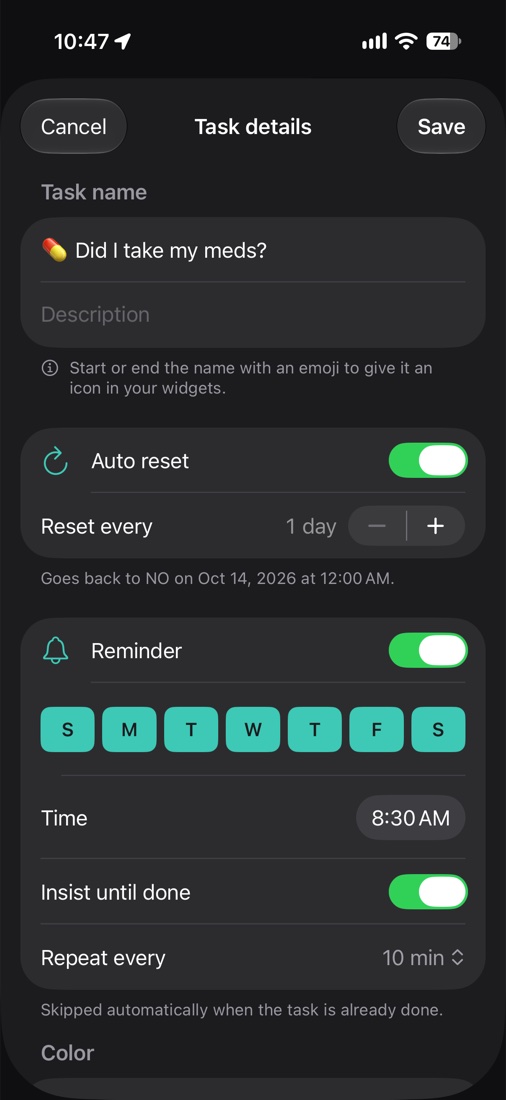
- Resets on its ownEvery day, every few days, or never. You choose for each task.
- Reminders that insistPick the days and time. Not done yet? It reminds you again. Already done? It stays quiet.
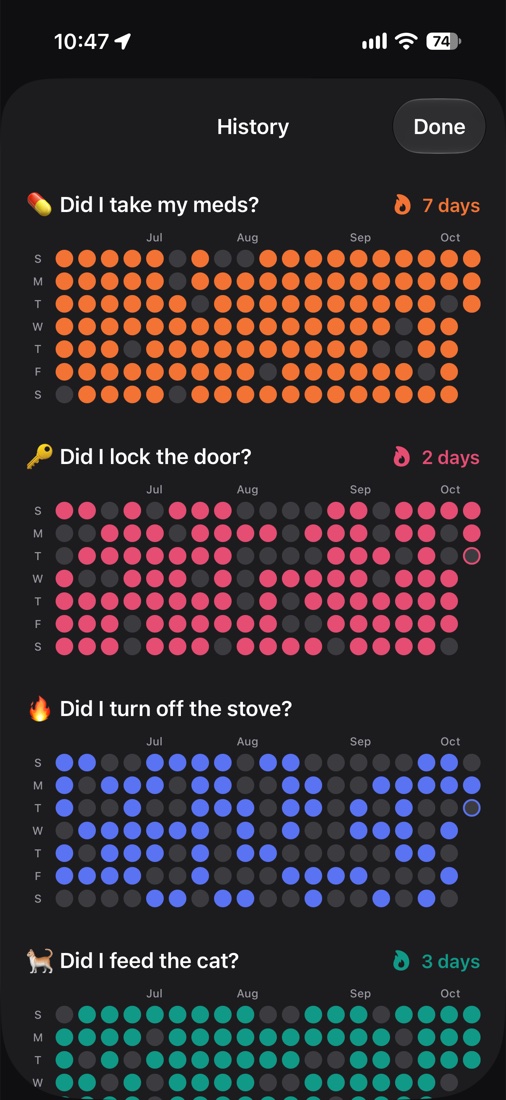
- Editable historyA dot map per task, with your streak. Forgot to mark it? Fix any day.
- Lock ScreenSee the answer and mark it without unlocking to your Home Screen.
- No subscription3 tasks free, forever. One payment unlocks unlimited tasks.
Frequently asked questions
I have a suggestion, found a bug or want to share feedback
Write to danielantoni7575@gmail.com. We read every message.
Is Made It free?
Yes, for up to 3 tasks, including widgets, reminders, history and iCloud. Unlimited tasks are a one-time purchase, with no subscription.
How do I add the widget?
Touch and hold an empty area of the Home Screen, tap Edit → Add Widget and choose Made It. To pick which task it shows, touch and hold the widget and tap Edit Widget.
And on the Lock Screen?
Touch and hold the Lock Screen, tap Customize → Lock Screen and add the Made It widget.
When does a task go back to NO?
At midnight the next day, or after the number of days you choose. You can also keep a task from resetting.
I marked it by mistake. How do I undo it?
Tap the task again, in the app or on the widget. It goes back to NO and your history is corrected.
Do I need an account or internet?
No. Everything works without an account and offline. If you use iCloud, your tasks show up on all your devices.
Where is my data?
On your iPhone and, if you use iCloud, in your iCloud account. We have no servers and never see what you record.
Is Made It a treatment?
No. Made It helps you organize your routine, but it is not a medical service and does not replace advice from a health professional.